 DirectConnect
Features
Easy transfers between computers without the waiting.
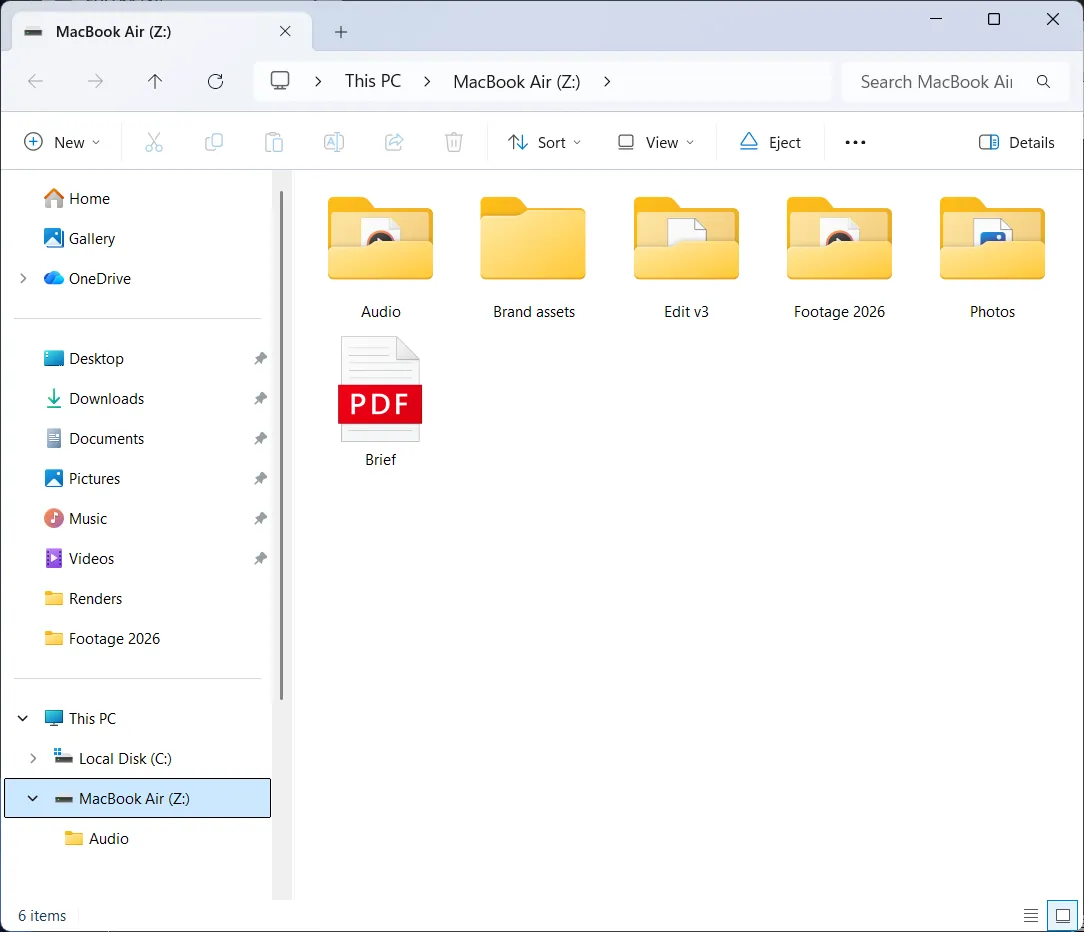
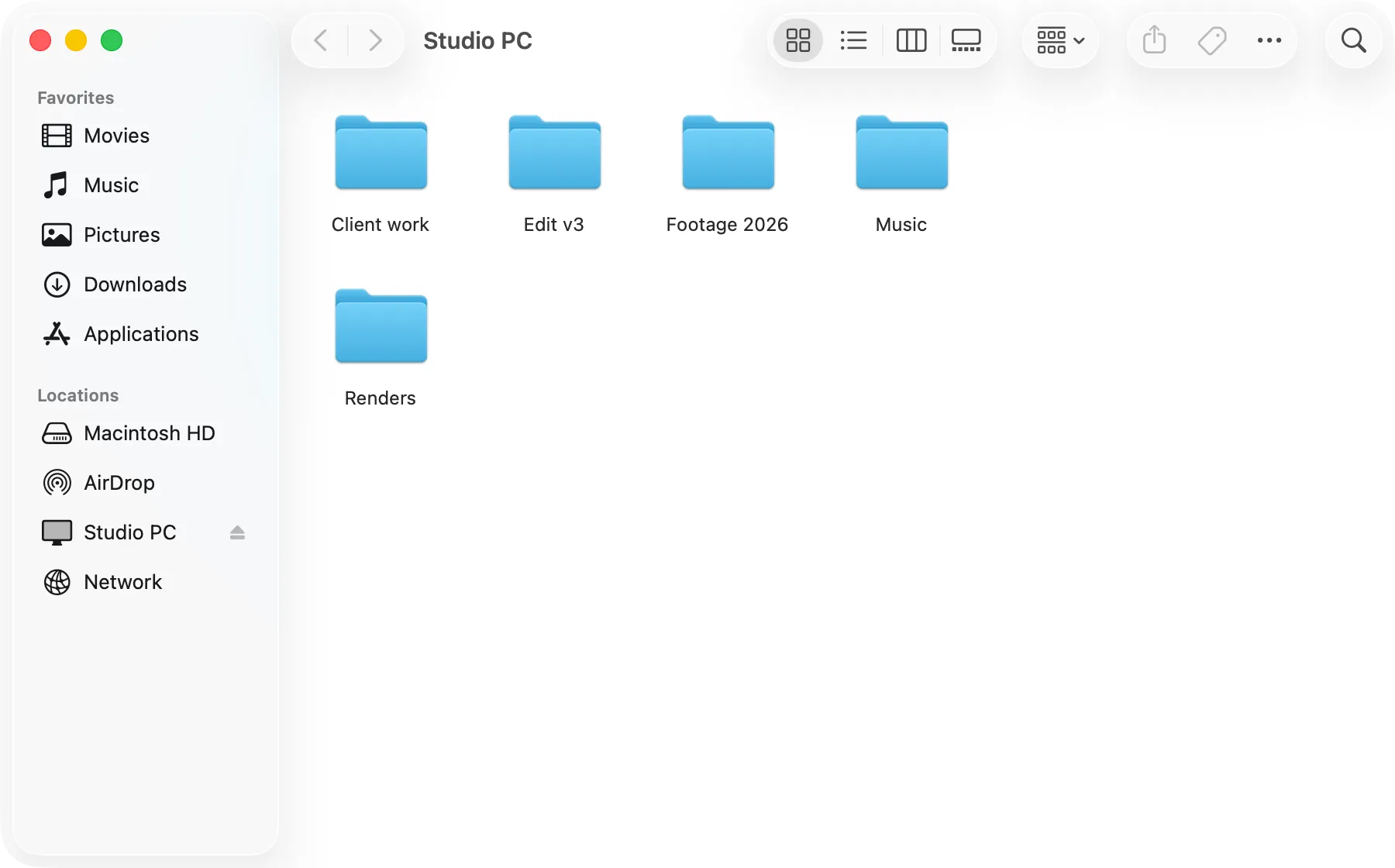
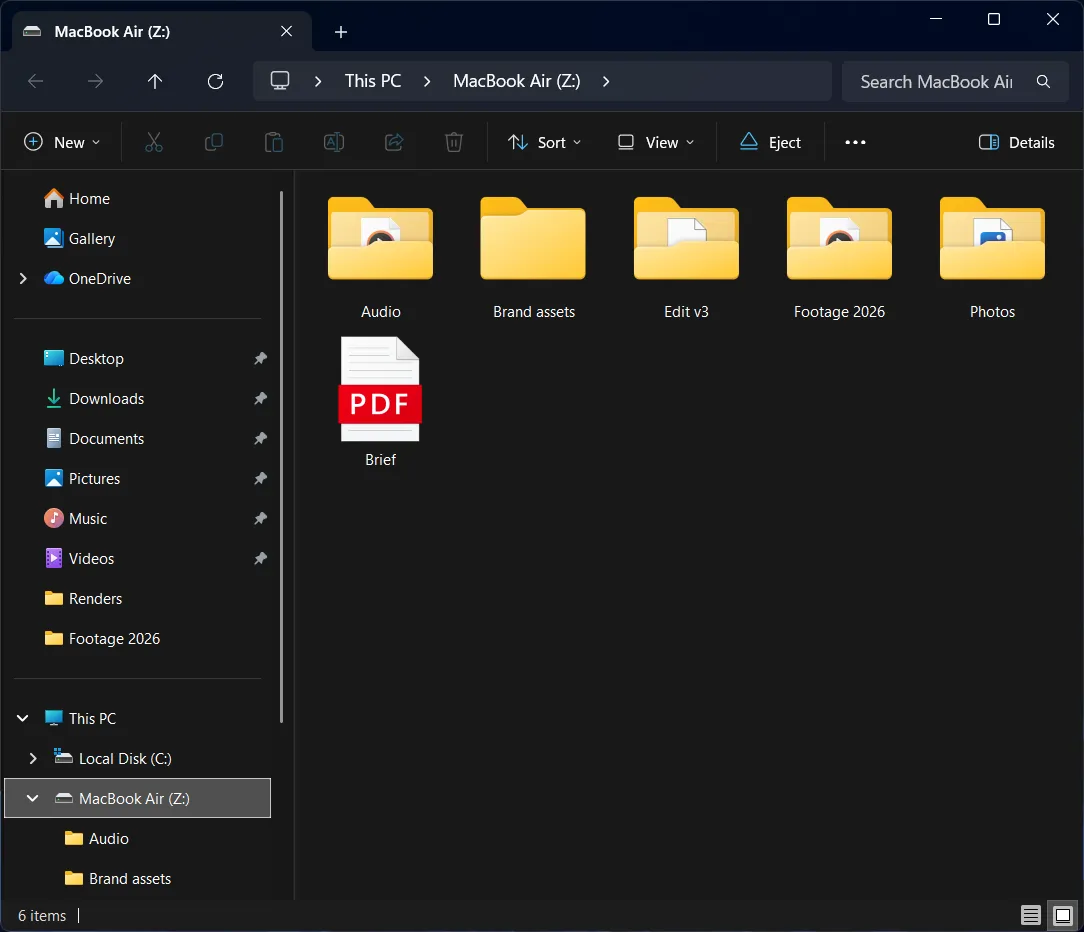
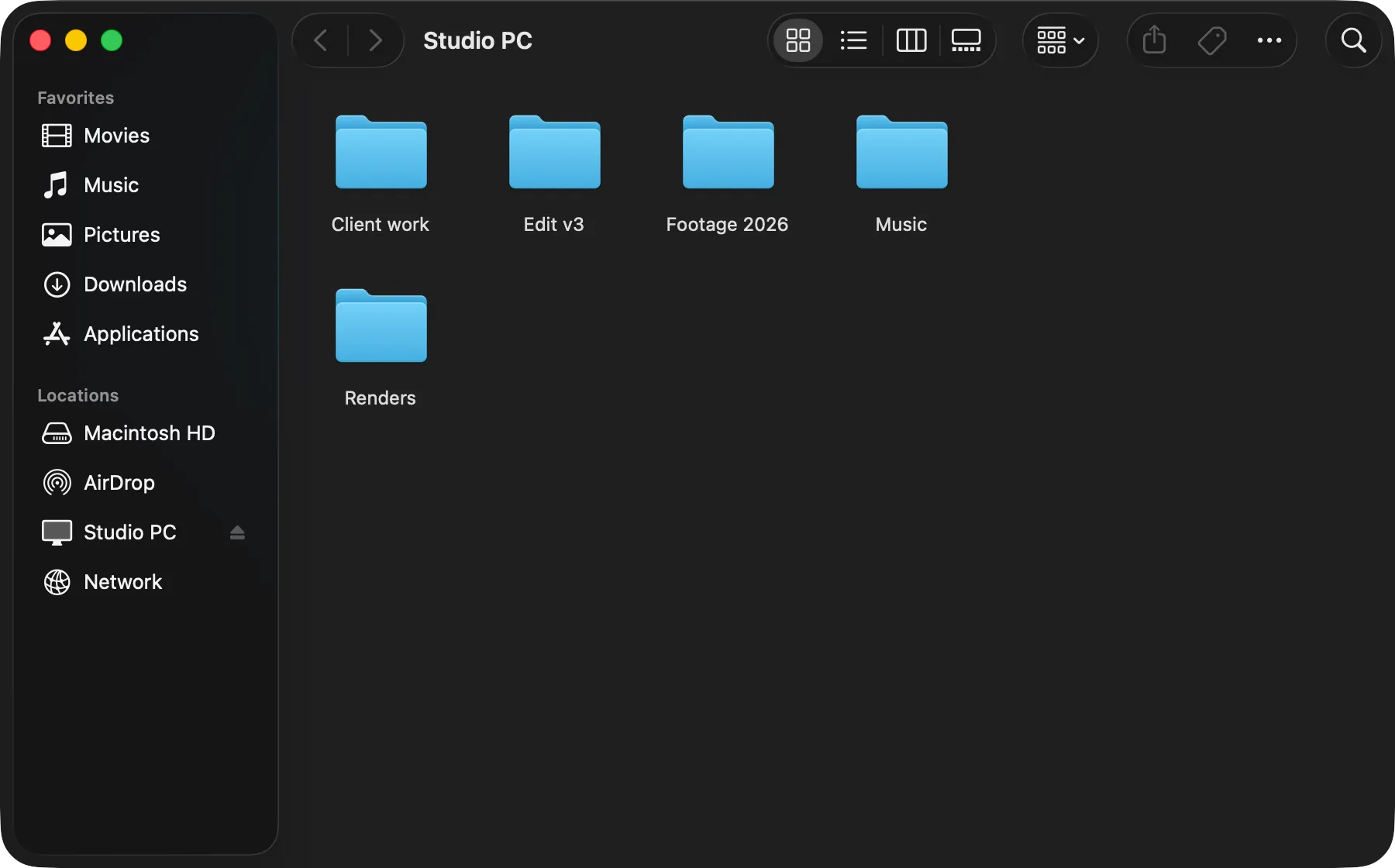
- Your computer as a USB driveYour computer appears as a drive in Finder, File Explorer or Files.
- Optimised for many small filesFast copy moves 2,000 small files in about half a second.
- Fast with large filesWith fast copy, a 100 GB video project moves in about a minute.
- You choose what’s sharedYour drive, one folder, or nothing at all. Read-only if you want.
- Reconnects automaticallyPlug back in and it connects the way it did last time.
- Mac, Windows, LinuxThe same app on each, copying in either direction.
Shows up just like a USB drive.
Plug in the cable and the other computer appears in Finder, File Explorer or Files. Open, edit and drag its files as you would on a USB drive. There are no accounts, IP addresses or firewall settings to set up.
- Copy in either direction
- Eject it like a USB drive when you’re done
- Only works over the cable, never Wi-Fi or your network
Built for projects full of small files.
File sharing waits for each file to arrive before sending the next. DirectConnect sends many at once.
With fast copy, a folder of 2,000 small files moves in about half a second.
6.9× faster with 20,000 small files
331 MB · Finder copy over a 10 Gb/s cable · Shorter is faster
- DirectConnect
- 34.4 s
- SMB file sharing
- 3 min 58 s
Transfer large files at up to 3 gigabytes per second.
On modern computers with Thunderbolt or USB4, fast copy sends big files over the cable many pieces at a time. A 100 GB video project moves in about a minute.
Up to 3 gigabytes per second is a best-case figure using fast copy with a 40 Gb/s Thunderbolt or USB4 connection and modern, high-spec hardware. How we tested
- 21.8 Gb/sgigabits per second2.73 GB/sgigabytes per second2,725 MB/smegabytes per second8 bits (b) = 1 byte (B). Cables are sold in bits per second; file copies show bytes per second.
3 GB folder, Mac to Windows PC
- 20.7 Gb/sgigabits per second2.59 GB/sgigabytes per second2,588 MB/smegabytes per second8 bits (b) = 1 byte (B). Cables are sold in bits per second; file copies show bytes per second.
1 GB file, Mac to Mac
- 17.3 Gb/sgigabits per second2.16 GB/sgigabytes per second2,163 MB/smegabytes per second8 bits (b) = 1 byte (B). Cables are sold in bits per second; file copies show bytes per second.
1 GB file, Windows PC to Linux
Set it up once.
The first time two computers meet, choose what to share: every drive, one project folder, or nothing at all so files can only be sent to you. Turn on Remember this computer, and next time you plug in, it connects the same way without asking.
- Share one folder, your whole drive, or receive only
- Read-only mode, so the other side can't change your files
- Remembers settings for each computer you connect
- Works natively between Windows, Mac and Linux
Also worth mentioning:
Send files / Receive only mode
Like AirDrop over a cable. Drop files on a computer set to Receive only, and they arrive in its Downloads folder, checked and complete.
Encrypted on the cable
Everything the two computers send each other is encrypted, with new keys for every connection.
No internet needed
Files travel only through the cable. A licensed computer works offline for up to 30 days at a time.
Move your licence
Hand your licence to the other computer over the cable, without retyping your code.
Stays up to date
Once installed, DirectConnect keeps itself up to date. You don’t need to download it again.
In 16 languages
The app and its help pages are in 16 languages, including Japanese, Korean and Chinese.
Questions and answers
Do I need to set up file sharing or a network?
No. You don’t turn on file sharing, create sharing accounts or type IP addresses. Your computer may ask for permission the first time DirectConnect runs.
Will any USB-C cable work?
A Thunderbolt or USB4 cable is recommended. A USB-C data cable will work as well, but at up to 10 Gb/s. Charging-only cables won’t work. Both computers need Thunderbolt or USB4 ports.
How do I know if my ports are Thunderbolt or USB4?
Look for a lightning-bolt symbol or a “USB4”, “40Gbps” or “20Gbps” label next to the port, or search your computer’s model number with “specifications”. On a Mac, System Information lists them under Thunderbolt/USB4. Some USB-C ports, such as the front ports on some desktops, are slower USB-C only.
Will it reconnect after a reboot?
Yes. DirectConnect remembers each computer you connect and how you set it up. Plug the cable back in after a restart and it connects again with the same settings.
Can I share my whole drive?
Yes, or choose one folder. You can also make the share read-only. Both computers stay usable, and files the OS protects stay protected.
Where do the speeds come from?
Real copies between our own Macs, Windows PCs and Linux computers on one cable, each checked byte for byte. See the test results for every computer pair.
Which operating systems?
macOS 26 or later, Windows 11, and Linux: Ubuntu 24.04, Fedora 40 or another distribution of the same age or newer, on x86-64.